See how your learners are doing, any day you want.
Institutional partners get their own Triad dashboard: who is studying, how much, how they score by exam domain, and which activation codes have been used. No spreadsheet requests, no waiting for someone to pull a report.
Answers to the questions you ask every week.
Everything comes straight from the Triad learning platform your learners use, scoped to your institution. Download any view as a CSV.
Know who's falling behind before exam day
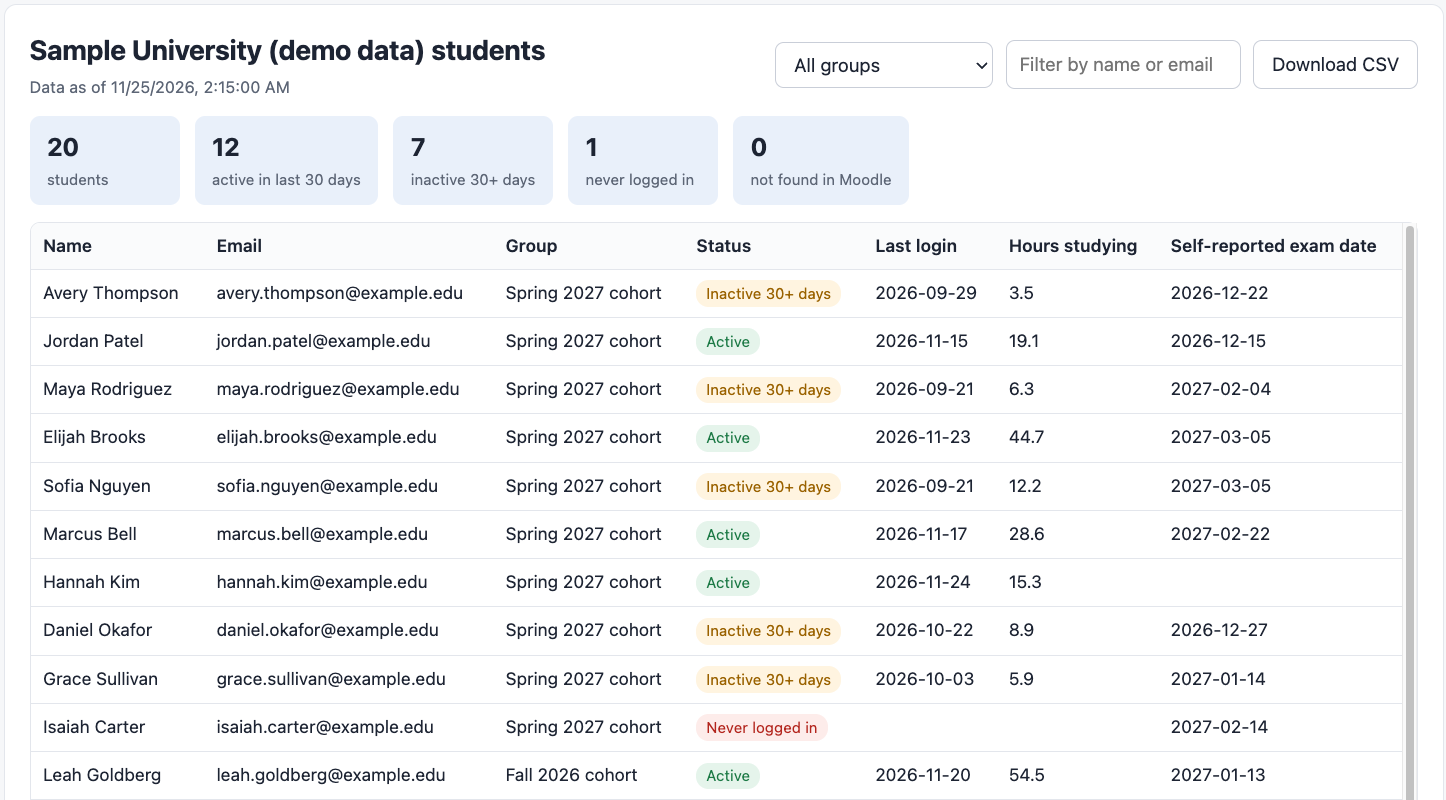
Every learner on your roster at a glance, refreshed overnight.
- Last login and hours studying for each learner, with active and inactive counts.
- Self-reported exam dates, so you can reach the people testing soon.
- Filter by group or cohort and search by name or email.
See which exam domains need work
Where each learner stands, course by course and exam by exam.
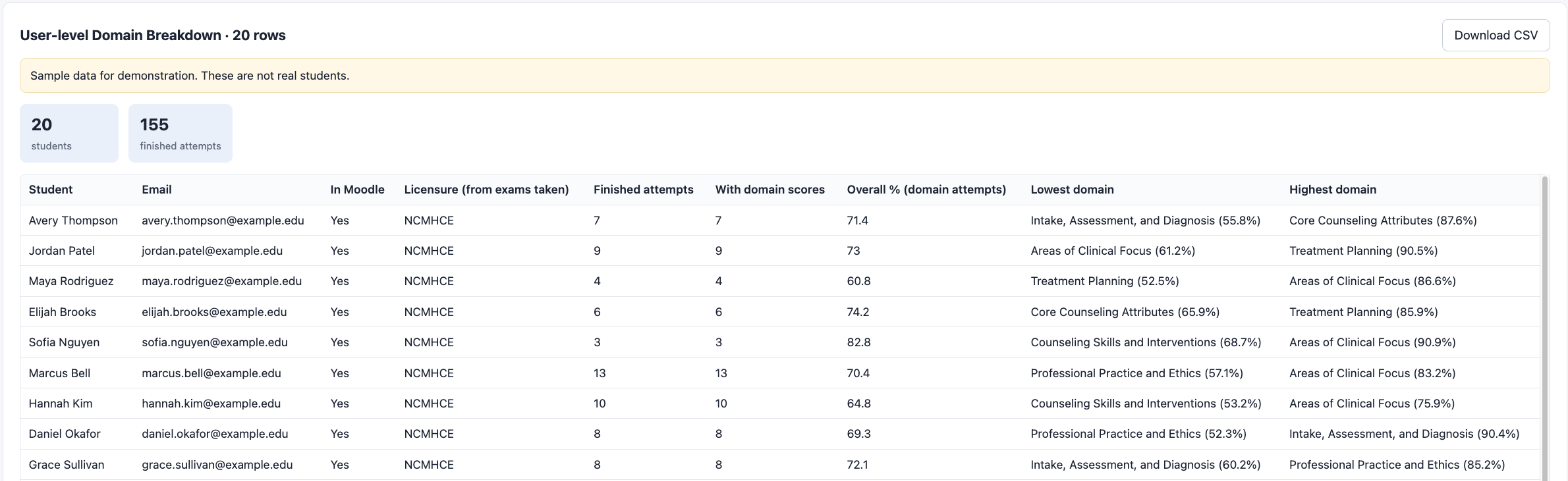
- Domain Breakdown: every finished practice exam scored by licensure exam domain, with each learner's strongest and weakest domain.
- Progress Report: activities completed and course grades for every learner.
- Grader reports: course grades across the roster, or every attempt with dates and retakes.
Stop emailing us for reports
Run it yourself, whenever you need it, the way your program is organized.
- Activation Code Usage: which codes have been redeemed, by whom and when.
- Admins see the whole institution and decide who else gets access.
- Managers see only the groups they are responsible for.
Spot the weak domain, not just the low score.
Each learner's practice exams are scored by licensure exam domain, so faculty and supervisors know exactly what to review with them.
Common questions
Who gets access?
Your Triad partnership director sets up your roster and your first admin. Admins can then give access to colleagues: other admins see the whole institution, and managers see only the groups they are responsible for, such as one cohort or one site.
How do people sign in?
Go to triadhq.com/reports, enter your work email, and we email you a 6-digit code. There are no passwords to create or reset.
How current is the data?
The Students view refreshes every night. Reports read the learning platform when you run them, so they reflect activity up to that moment.
Can faculty see only their own cohort?
Yes. Give them a manager account limited to their groups and they will only see those learners in the Students view and in every report.
How is learner information protected?
Each account sees only its own institution's learners, and managers only their own groups. Sign-in uses a one-time code sent to a work email, and Triad staff manage which learners are on your roster.
Is the dashboard part of our partnership?
The dashboard is available to institutional partners. Your partnership director can walk you through what is included for your program.
Want a dashboard for your program?
We'll show you the dashboard with sample data and set it up for your learners.
Request a demo →